Chat Messenger

Guide for attaching VTC Pay e-Wallet with payment card

Update time 11:18 - 18/03/2014


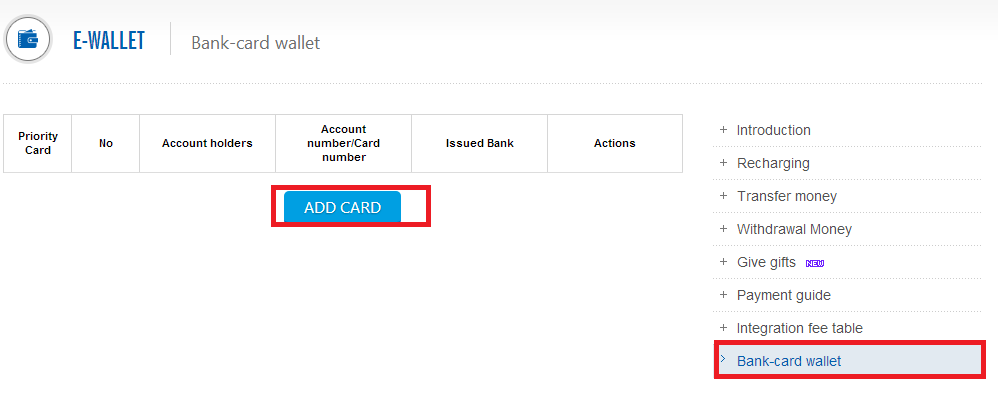
Step 1: Log in for Pay VTC e-Wallet  http://vtcpay.vn  
Click “Bank card wallet” and  click "Add Card"



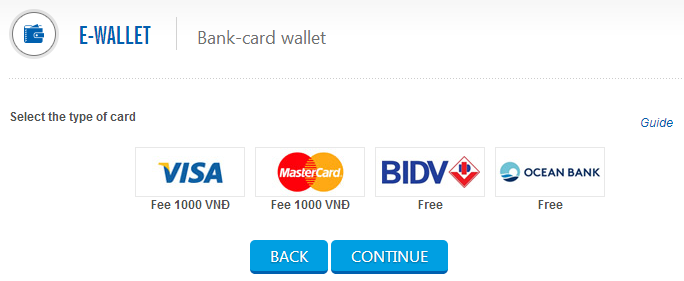
Step 2: Select the type of card should attach
Now, VTC Pay support to attach cards: MasterCard, VISA, BIDV & OceanBank
 

For Master cards & VISA:
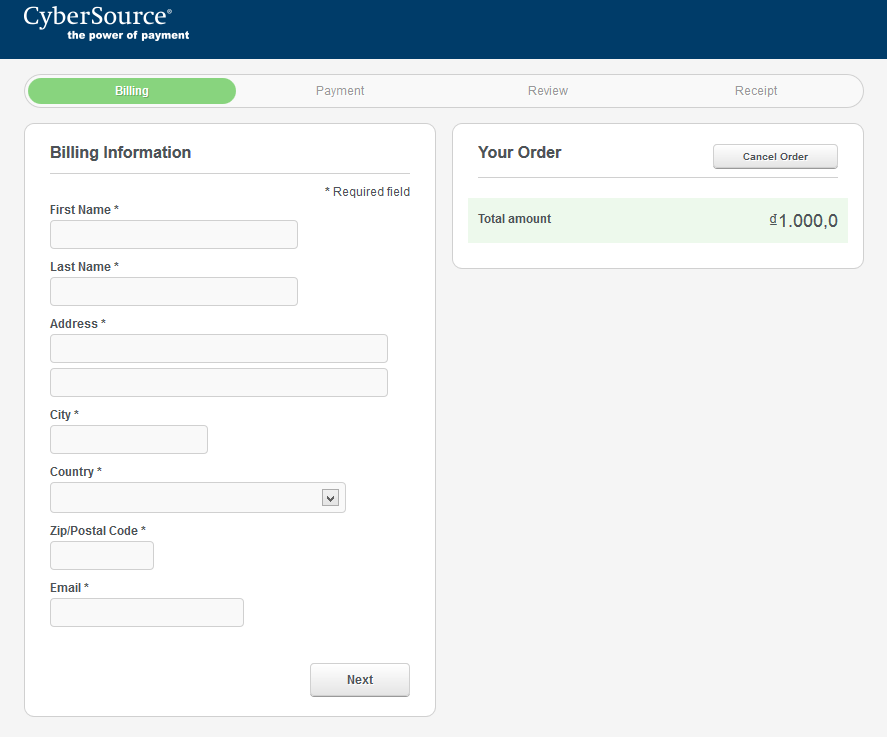
Step 3: Switch to the CyberSource payment gateway. Declare the requested information, click "Next"
 

Step 4: Select payment card type, card number, expiration date, click "Next"

 
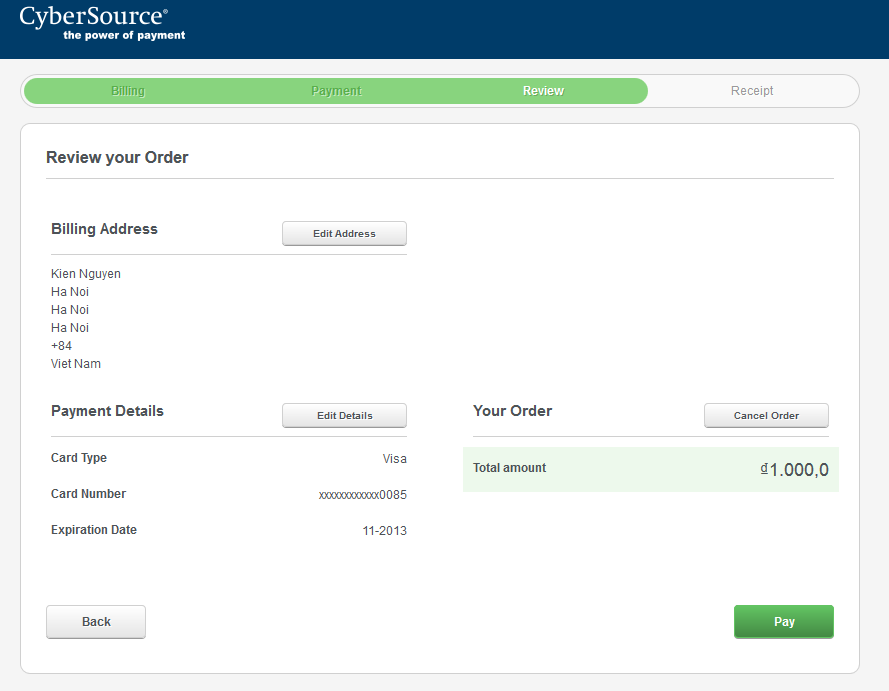
Step 5: Authentication mount, the transaction fee is 1,000 VND. Click "Pay" to continue
 

Step 6: Attach the successful / unsuccessful
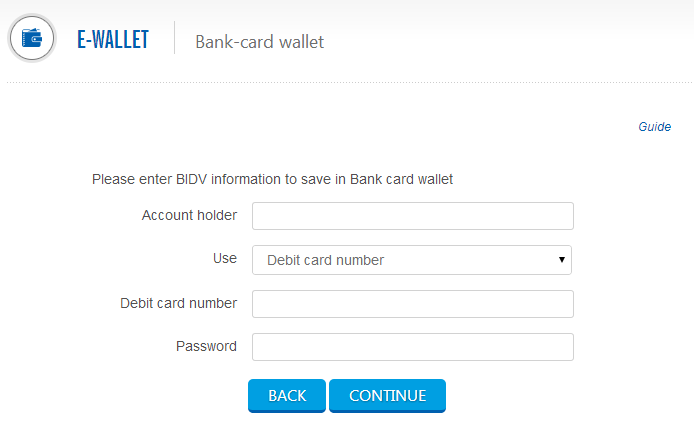
 For BIDV & Ocean Bank card:

Step 3: Declare the requested information


VTC Pay
True payment, True value

Top